
Guide
Make an animated series with a cast you keep.
Klaboo keeps your characters, props and locations in one Library, builds each scene from them, and lets you retake the moments that miss, then cut the episode together. Several of these steps are Beta, and no AI model can promise a pixel-identical character every time, so here is what each step does and where it still needs you.
Keep your cast in the Library
The Library holds your characters, props, locations and media. Each item holds its own images, videos or audio, so a character's looks and voice sit in one place. Basic and Advanced both include it.
For the steadiest look, Klaboo's own tip is a design sheet for each character and prop (front, side and back), and a few views of each location from different sides. The picture below is one: four views of the mascot, Klaboo. Further down, a bedroom shows the same for a location.
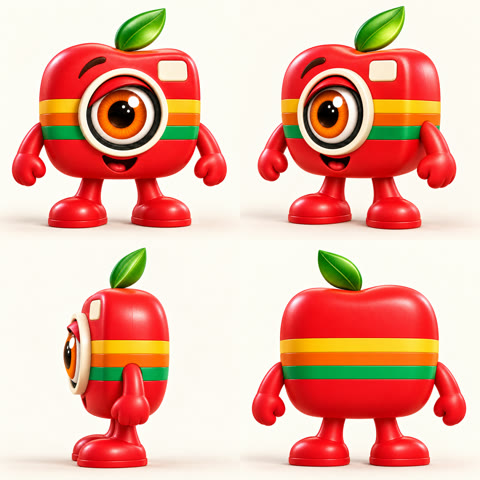
An item's files come into your videos in two ways:
- On Create, Add from Library puts all of an item's files on your video. They stay in your Library, and nothing is uploaded again.
- In Scene builder Beta, each file has a When to use choice. Use by default files join a scene whenever their character, location or item is in it, unless the scene asks for a particular version. Use when the scene needs it files are added by AI planning when the scene calls for them, such as a certain angle, outfit or mood. Only when I add it files are never added for you. That choice is part of Advanced.
If a character has no default picture or voice sample, Klaboo uses its first one and tells you which. AI planning finds an item by its name and description, so name and describe each one clearly.
Plan each scene
Describe it, get a shot plan
In Scene builder Beta you describe a scene the way you'd tell it. AI scene planning Beta splits it into shots and clips, with the cast and files each one needs. You can change anything. Every clip shows its price at your provider before you approve, and nothing is made until you say so.
Up to 10 minutes, from several clips
On Advanced Beta, a scene can run up to 10 minutes (8 on Veo 3.1 Fast). It is never one long model output: Klaboo splits it into clips that fit your model, and puts each one into the scene’s cut in order as it’s made. Leave Scene length on Auto, or set it. A longer story, like an episode, is told as several scenes.
Notes the AI keeps in mind
Project knowledge holds characters, rules and story notes that AI planning keeps in mind for every scene, which helps from one episode to the next. It is part of Advanced.
What Basic gets
Basic opens Scene builder as a try, with a few tries of AI scene planning each month. Generating every clip of a planned scene is part of Advanced.
Keep it steady from clip to clip
Continuity helps the cast carry on from clip to clip, and Retake fixes the moments that slip.
Continuity Beta
Klaboo can carry each clip's last frame into the next, so characters and settings carry on across clips. Continue from last frame starts the next clip from the last frame of the one before it. Both are part of Advanced.
Retake Beta
When a moment misses, Retake remakes just that stretch of a clip and keeps the rest. On Basic you can redo a whole clip. How Retake works
The honest limit
No AI model can promise a pixel-identical character every time. Klaboo gives each shot the references it needs and lets you retake only the moments that miss. More in the FAQ
Cut the episode in the Editor Beta
The Editor shows every take of a scene's clips, and puts each clip’s newest take into the cut by itself, in order. Watch them, choose a different take where you like, add videos from Create, trim and reorder the clips, then export the scene as one video. Basic and Advanced both include it. Home walks through the steps.
See it at work
One mascot, three stories
Home's example is one Library character, the mascot Klaboo, in three stories. Each story is its own clip.
One room, from every side
A location can hold several pictures of one place. This bedroom, from a 3D animated episode, has five: from the door, the desk, the desk toward the bed, outside the window, and from above.
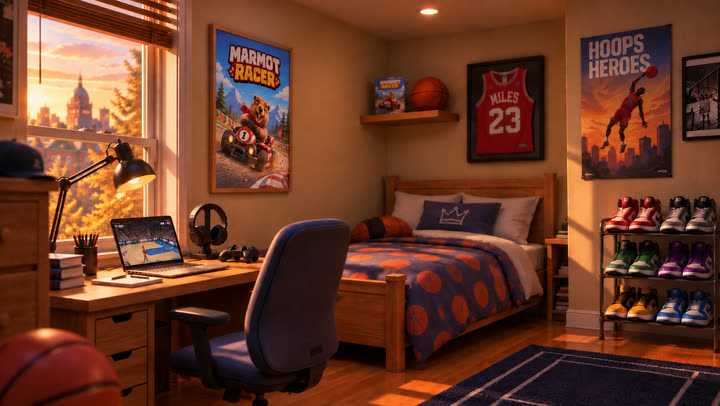
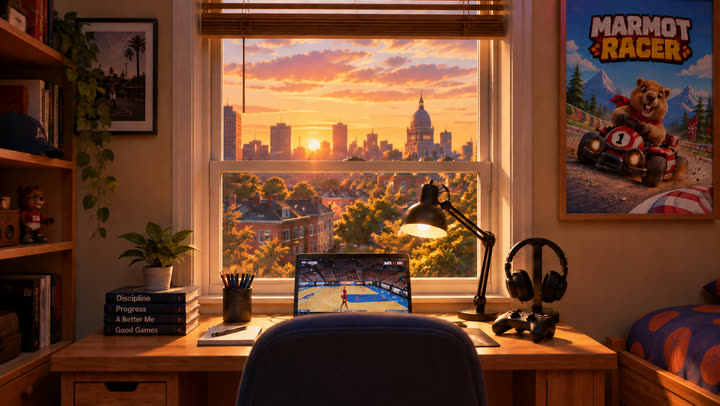
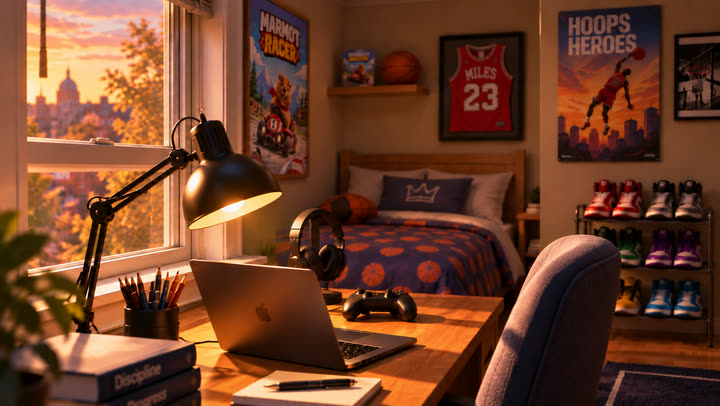
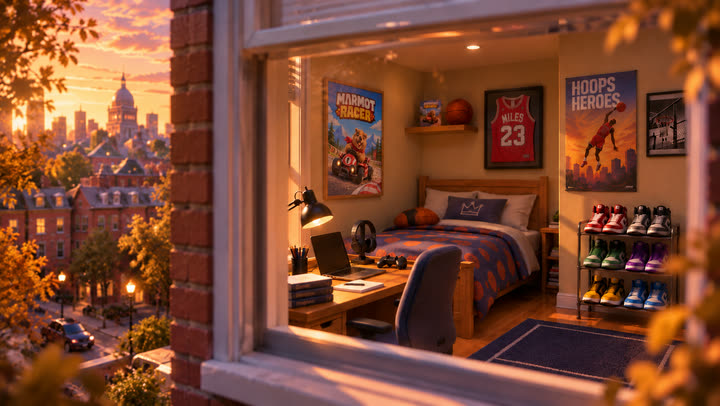
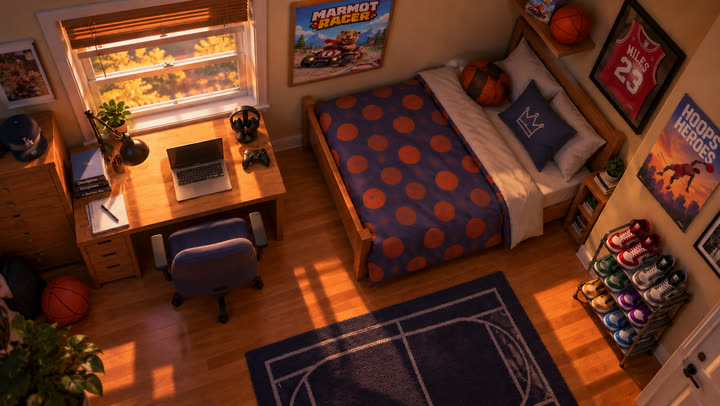
What the prompt said about them (shortened, with names taken out):
The room (the true location: layout, furniture, posters, props, window, lighting): the five bedroom pictures.
The pictures with the character in the room are for size only. They are not authorities for the room layout; the room pictures are.
The wide shots use one locked camera: the view from the door, framed for portrait. It never moves, pans or zooms.
The light moves forward with each jump: golden hour, then sunset, then blue dusk with the desk lamp on, then night. The room stays identical.
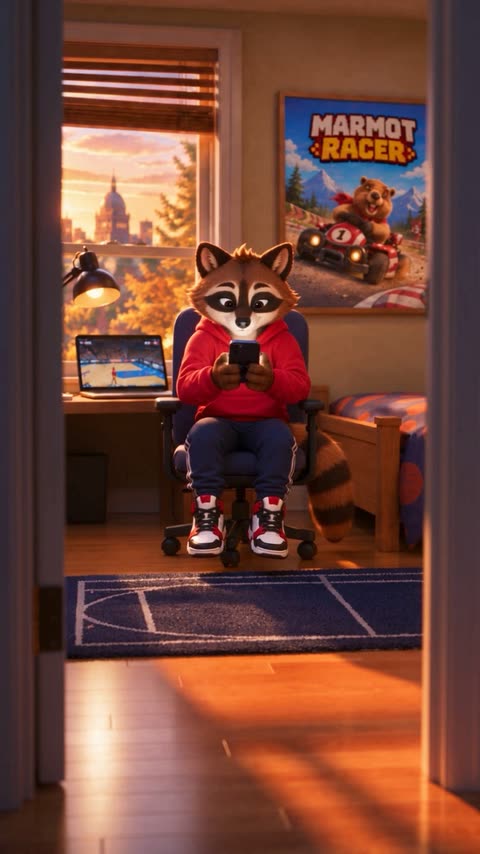
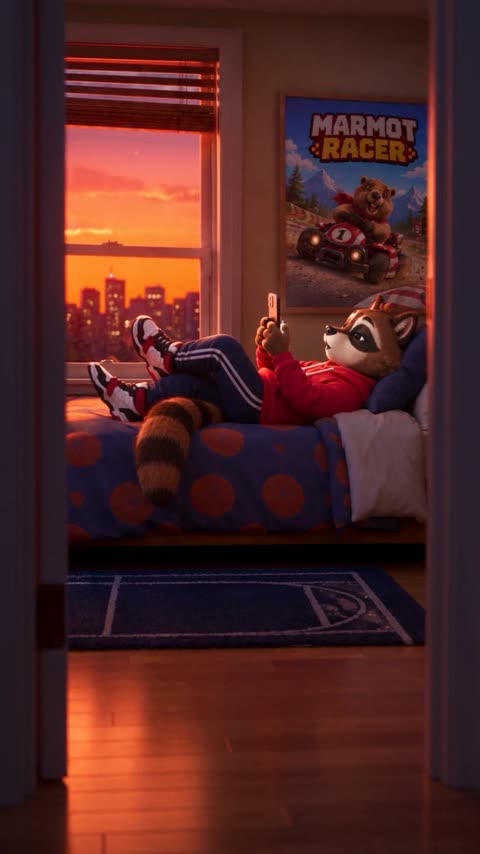
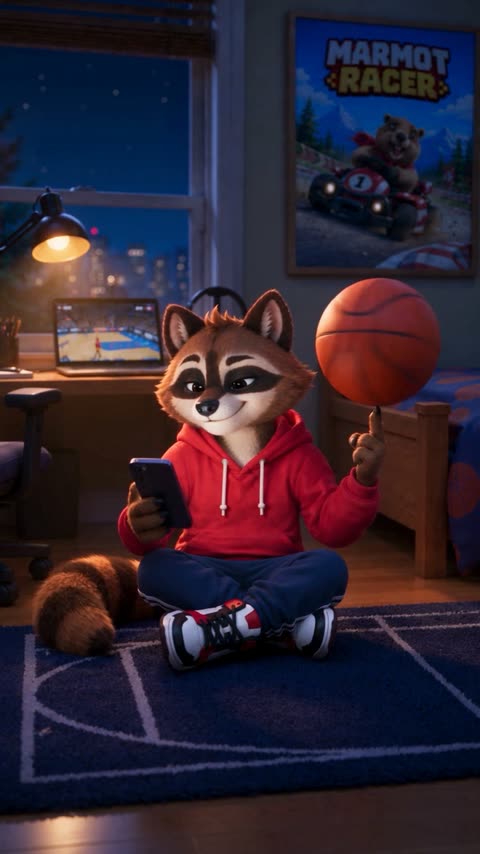
Three frames from the finished episode: the same desk, lamp, window, poster and rug, from the door, as the light moves to night. Small details can still change from shot to shot, and Retake remakes the moments that miss.
What a series costs
A series is a lot of clips. Your video provider bills each one at its own price, with your own key: no credits, and no markup on video. Klaboo shows every price before you approve. Your plan covers the studio.
- What AI video costs: the price per second by model, with worked examples.
- Bring your own key: what a key is, and how to get one.
- Pricing: what each plan includes.